Query X Extension Setup
Follow these steps to install and configure the Query X extension
Installation Steps
1
Clone and Install
Clone the Query X extension repository and install dependencies
git clone https://github.com/dibkb/query-x-extension
cd query-x-extension && pnpm install
2
Build Extension
Build the extension to create the dist folder
pnpm run build
3
Load in Chrome
Open Chrome extensions and load the unpacked extension
1. Open Chrome and navigate to chrome://extensions/
2. Enable "Developer mode" (toggle in top right)
3. Click "Load unpacked" and select the dist folder
4
Get Extension ID
Copy the extension ID from the Chrome extensions page
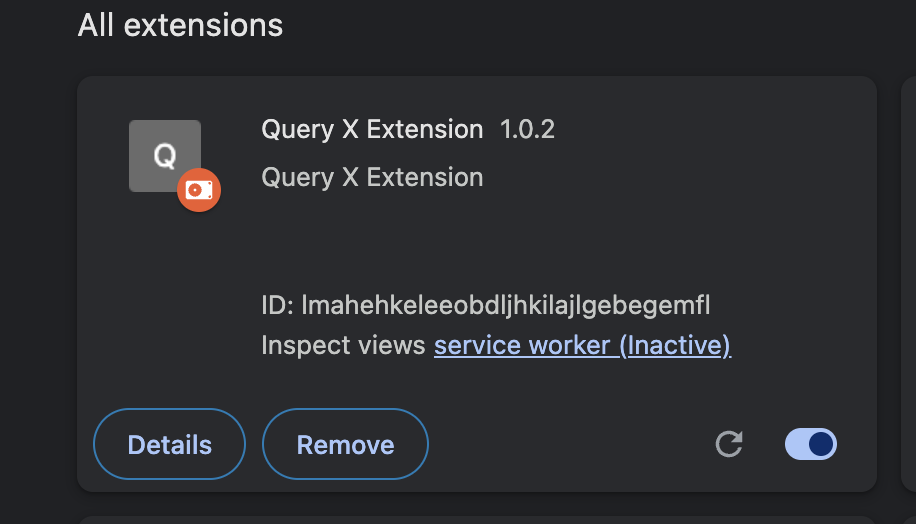
Look for the ID under your extension (e.g., lmahehkeleeobdljhkilajlgebegemfl)